
Beyond research and fact-checking, Jeannie can directly edit your documents—rewriting, restructuring, expanding, or refining your text on command.
What Makes It Universal
Jeannie can make virtually any edit to your document:- Rewrite - Change tone, style, or voice
- Restructure - Reorganize paragraphs and sections
- Expand - Add detail, examples, or explanations
- Condense - Shorten while preserving meaning
- Transform - Convert between formats (bullets to prose, etc.)
- Improve - Fix issues while maintaining your intent
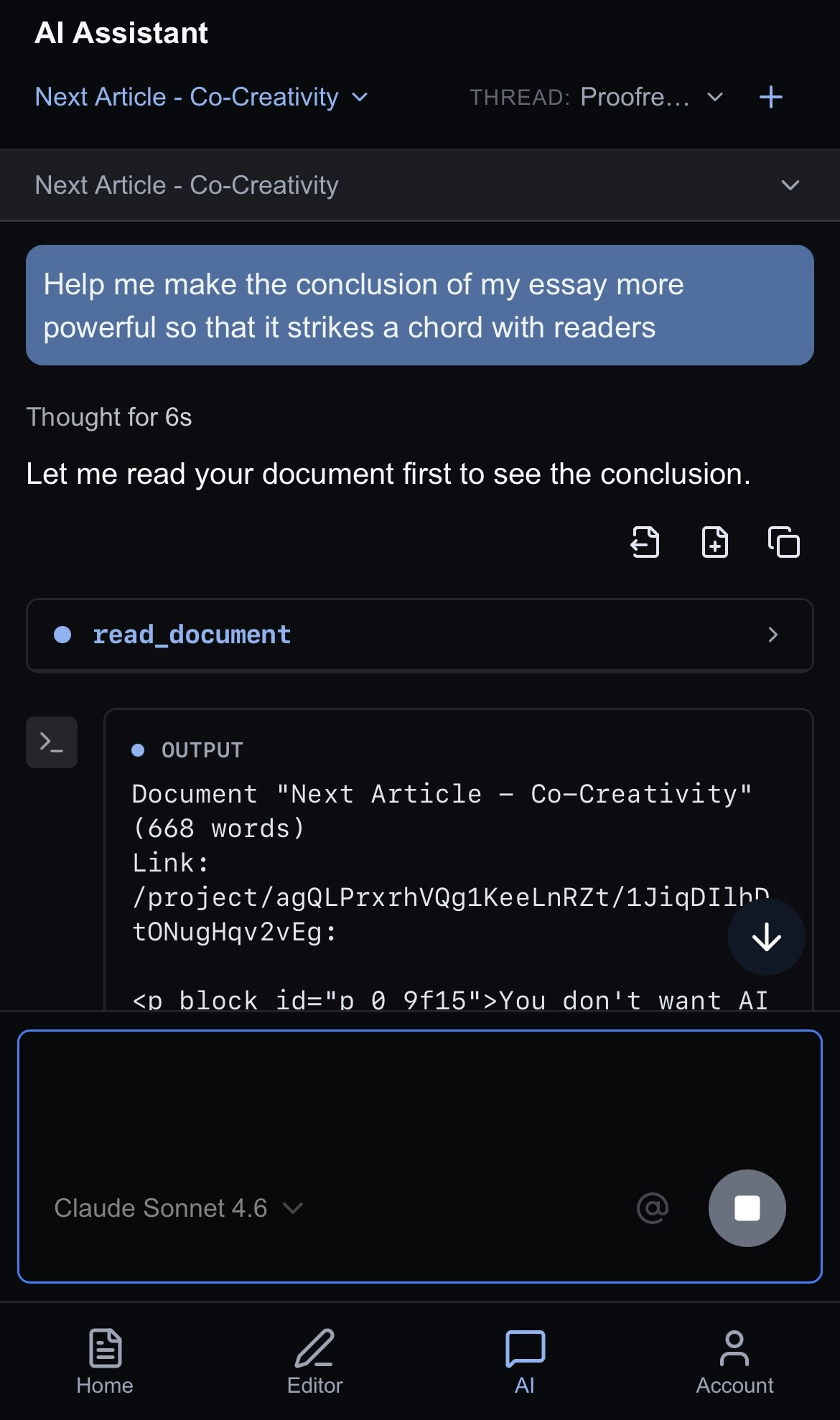
Starting a Conversation
To start a conversation with the Jeannie, go to the AI Chat and start typing!Making Edits
💬 Simple Requests
“Make this paragraph more concise” “Add a transition sentence”“Convert this list to prose”“Make the tone more professional”
🎯 Targeted Edits
“Rewrite the introduction to be more engaging”“Expand the third paragraph with examples”“Simplify the jargon in section 2”
📄 Document-Wide
“Make the whole document conversational”“Add subheadings to break up sections”“Ensure consistent terminology throughout”
How Edits Work
1️⃣ Analyze
AI reads your document and understands your request
2️⃣ Propose
It identifies specific changes to make
3️⃣ Apply
Changes are applied directly to your document
4️⃣ Review
You can undo, adjust, or request refinements
Example Workflows
Changing Tone
You:_ “This email sounds too harsh. Make it more diplomatic while keeping the key points.”_ AI:_ Rewrites the email with softer language, suggests diplomatic phrasing_
Expanding Content
You:_ “The benefits section is too thin. Expand it with three concrete examples and use the web search tool to find them.”_ AI:_ Adds detailed examples with supporting details_
Restructuring
You:_ “This reads like a wall of text. Break it into clear sections with headers and vary the size of the paragaphs to make it more organic.”_ AI:_ Reorganizes content, adds descriptive headings_
Format Conversion
You:_ “Convert these meeting notes into a professional summary email.”_ AI:_ Transforms bullet points into well-structured email format_
Tips for Effective Editing
Be Clear About Intent
- ❌ “Fix this”
- ✅ “Make this introduction grab the reader’s attention with a compelling hook”
Provide Context
- ❌ “Make it better”
- ✅ “This is for a job application—make it sound confident but not arrogant”
Iterate
Sometimes you strike gold right away but don’t expect perfection on the first try. Sometimes working with AI is about iteration and refining your prompt again and again until you get what you want:- Make an initial request
- Review the changes
- Ask for refinements: “Good, but make the ending stronger by looping back to the initial points in the opening sections and driving them home.”
What the AI Can Edit
- Prose - Articles, essays, reports, emails
- Creative writing - Stories, scripts, marketing copy
- Technical content - Documentation, specifications
- Business writing - Proposals, presentations, memos
- Academic writing - Papers, abstracts, literature reviews
Undoing Changes
If an edit isn’t what you wanted:- Use Undo to revert
- Ask the AI to try again with different guidance
- Request specific adjustments to the edit