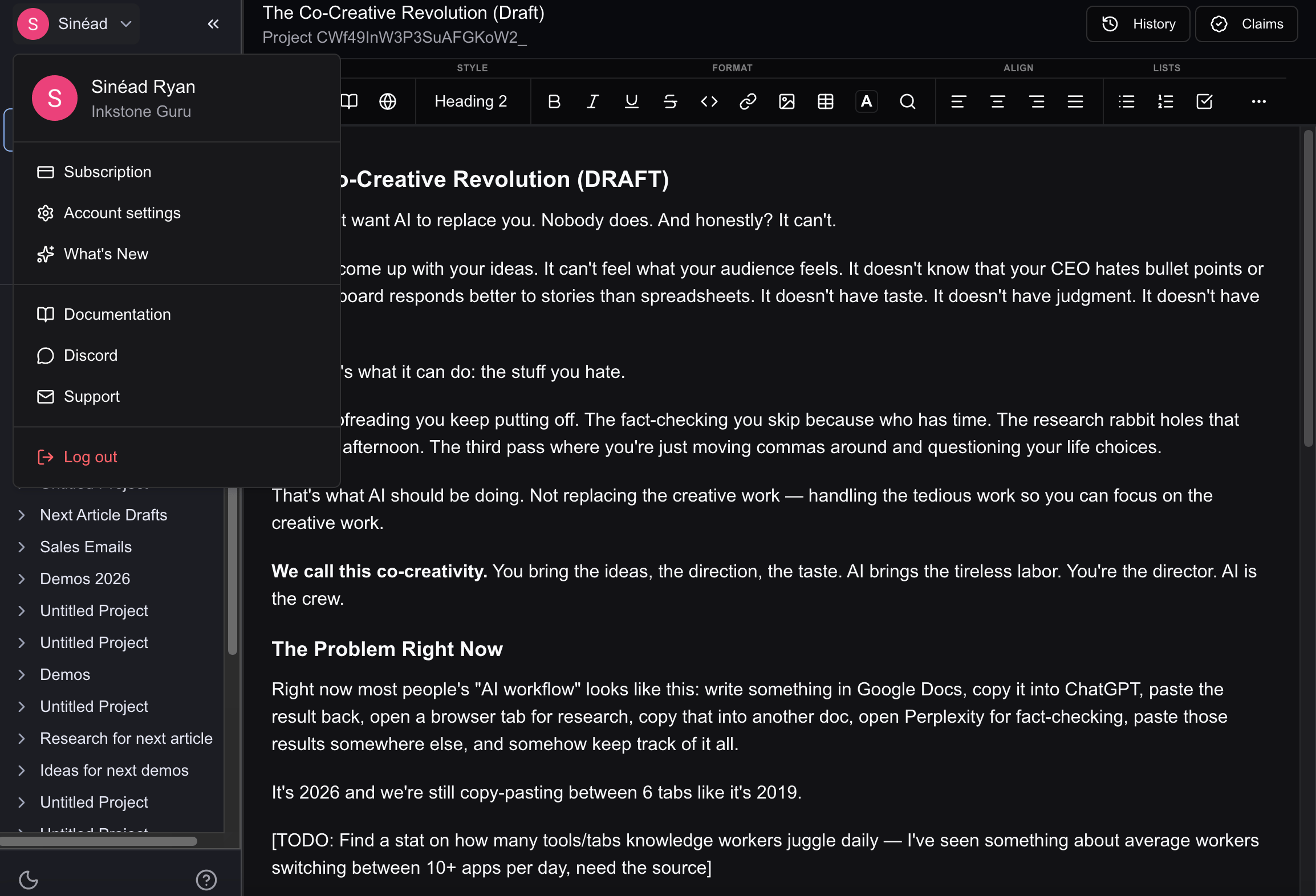
Access your account information at any time by clicking the dropdown by your name in the top of the left panel in the editor
Screenshot2026 02 27at10 32 53
When you click this drop down, you’ll see your subscription plan level. Under this there are multiple options:

Subscription

Clicking here brings you to your account settings, where you can manage subscriptions, billing, and light/dark mode preferences.

Settings

Clicking here brings you to your account settings, where you can manage subscriptions, billing, and light/dark mode preferences.

What’s new

A quick view of the latest updates to Inkstone

Documentation

Links to this documentation to give you an overview of the platform and find answers to any questions you may have

Discord

Join our Discord Channel! We post all news and updates there first.

Support

If you have any specific questions or queries, reach out to support@inkstone.pro, the team will be happy to help!