
What Fact Checking Does
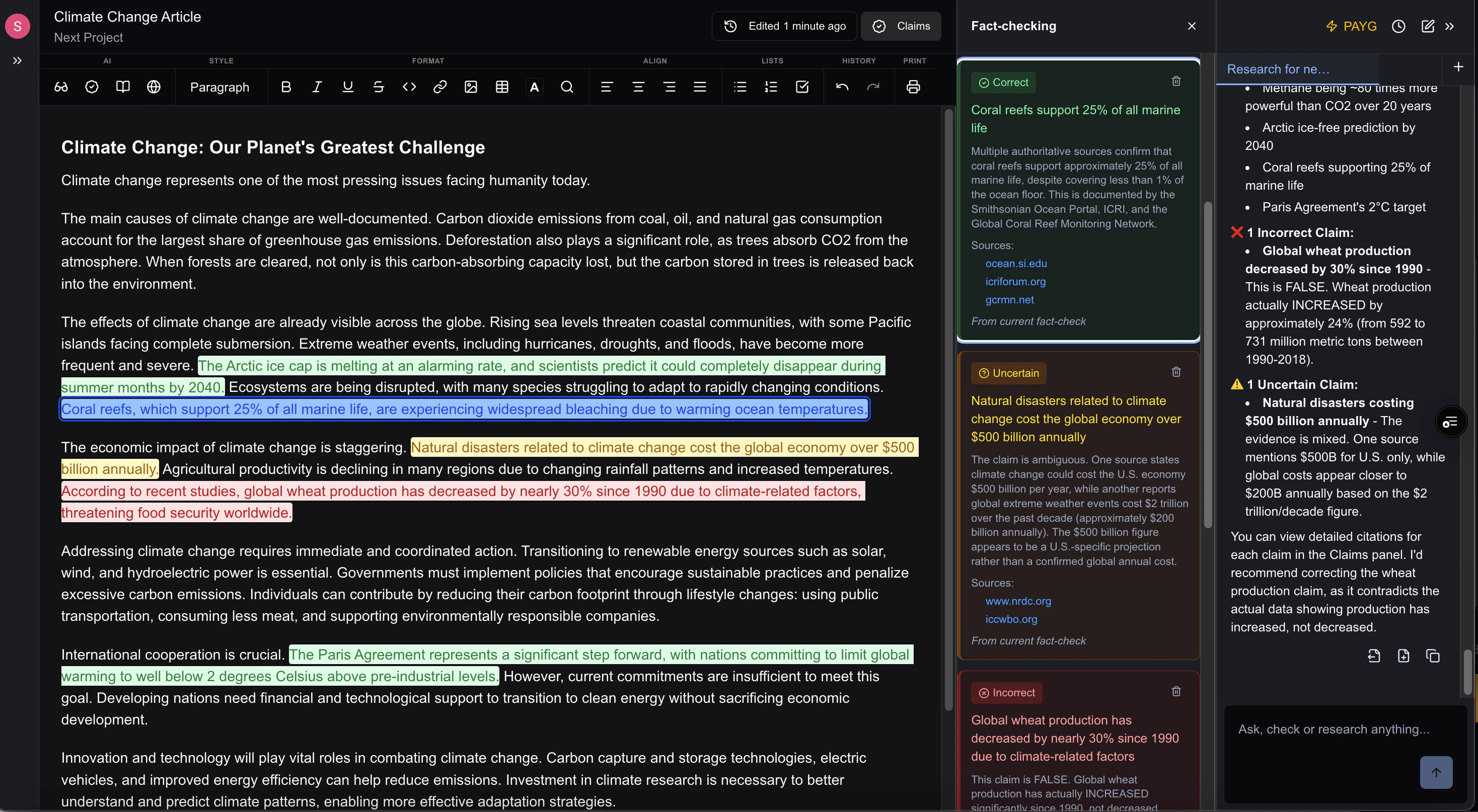
The fact checker:- Identifies claims and statements in your text
- Searches for supporting or contradicting evidence
- Provides verification status for each claim
- Links to sources for further review
Starting Fact Checking
From the Toolbar
- Write or paste content containing claims you want to verify
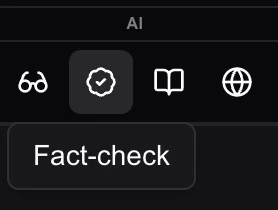
- Head to the AI menu in the toolbar
- Select Fact Check or hit the icon
- In the AI panel, the AI will analyze your document and check claims
- Fact Check column will appear to the left of the AI panel highlighting each claim it has fact checked in the document.
From the Assistant
You can also ask the AI Assistant directly: “Fact check my document” or “Verify the claims in this article.” The Assistant knows how to call the fact checking tool and will run the analysis for you.Understanding Results
For each claim in your document, the fact checker identifies the statement, searches for evidence, and assigns a status. You’ll see the original claim, supporting or contradicting evidence found online, and links to sources so you can verify for yourself.✅ Verified
Evidence supports the claim
⚠️ Disputed
Conflicting information found
❓ Unverified
Cannot find reliable sources
ℹ️ Opinion
Subjective statement, not factual
Disconnected Claims
Information that is referenced within the document, but not directly stated
What Gets Checked
📊 Statistics
Numbers, percentages, and data points
💬 Quotes
Statements attributed to people
📜 Historical Facts
Dates, events, and people
🔬 Scientific Claims
Research findings and studies
📰 Current Events
Recent news and developments
What Doesn’t Get Checked
Some statements are inherently unverifiable—personal opinions, future predictions, hypothetical scenarios, creative writing, and subjective experiences. The fact checker focuses on objective, verifiable claims rather than matters of perspective.Acting on Results
Once you have your fact-check results, take a moment to review the sources the AI found. If a claim is marked as disputed or unverified, you’ll want to decide whether to correct it, add a citation to strengthen it, or remove it entirely. For verified claims, consider adding the source reference to your document so readers can check for themselves. Remember that “unverified” doesn’t necessarily mean false—it just means the AI couldn’t find reliable sources to confirm it. You may have specialized knowledge or access to sources the AI doesn’t.Getting Better Results
The more specific your claims, the easier they are to verify. A statement like “sales increased significantly” is harder to check than “sales increased 23% in Q3 2024.” If you already have sources for your claims, the fact checker can verify them more quickly and accurately. It’s worth running fact check before you publish rather than after. Catching an inaccuracy early saves you from corrections later—and protects your credibility with readers.Keep in Mind
The fact checker can’t access paywalled content, so academic papers behind journal paywalls or premium news articles may not be available for verification. Very recent events (within the last few days) may not have enough indexed sources yet. Regional facts or niche industry statistics can also be harder to verify simply because there’s less publicly available information. And while the AI is thorough, it interprets claims the way it reads them. If your intended meaning differs from how the statement reads literally, the verification might not match your expectations.Next Steps
- AI Threads - Manage your AI conversations and saved research
- Creating Projects - Organize your documents and research