> ## Documentation Index
> Fetch the complete documentation index at: https://docs.inkstone.pro/llms.txt
> Use this file to discover all available pages before exploring further.
# Organizing your work
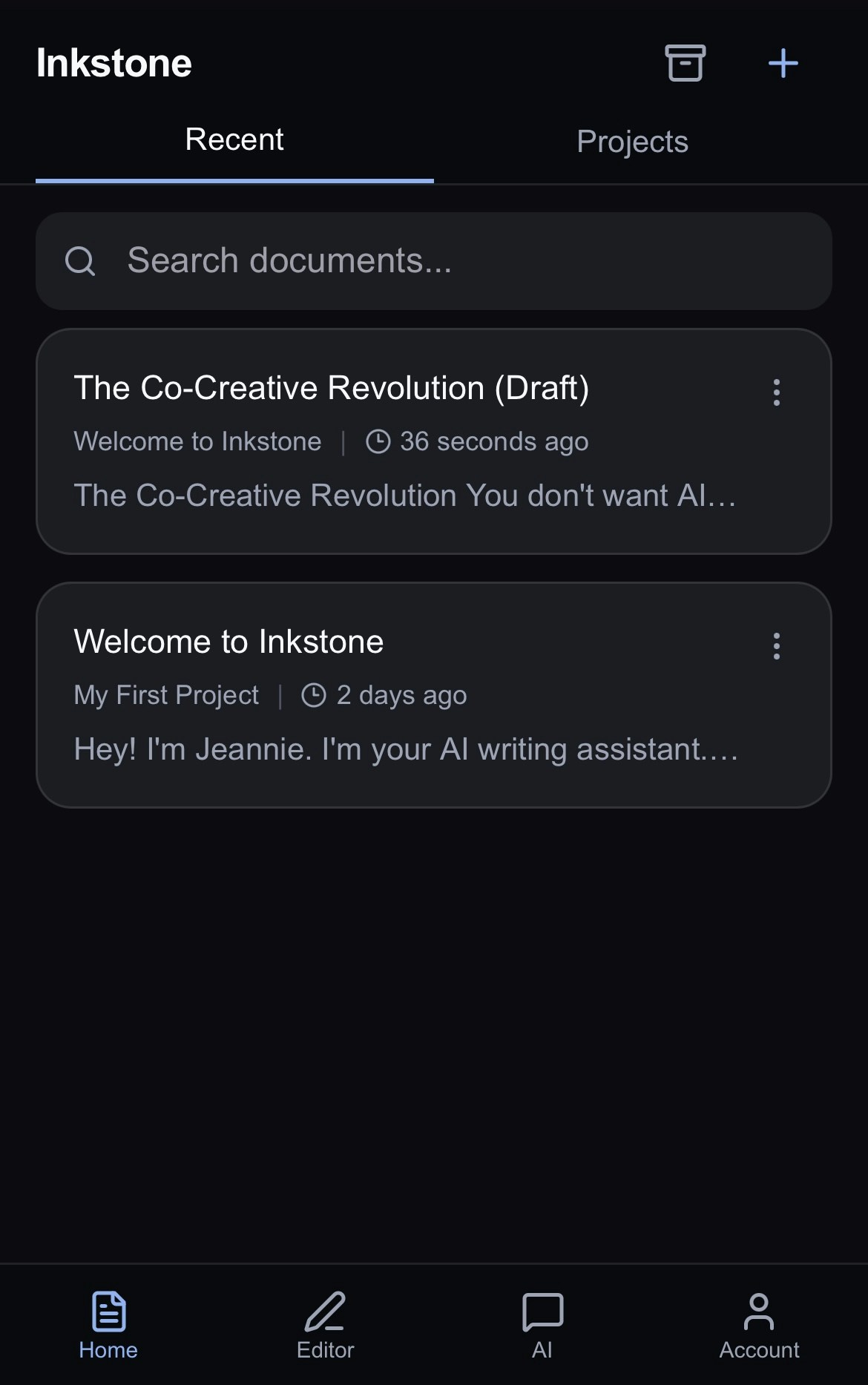
The home page is where you can see all your documents and projects.
Choose how to organize it:
## Recent View
See all your recently edited documents at a glance.
From here, you can tap any document card to open it or search a specific document
or
Tap the on the document card to:
* Open your document.
* Share your work with another Inkstone user.
* Move your document to another project.
* Archive (or delete) your document from view.
Use the blue **+** at the top right to create a new document.
 ## Project View
* See all your work organized by projects.
* Search for a specific document using the search bar, or create a new project using the **New Project** button at the top of the page.
* Choose to sort alphabetically or by recently edited.
* **Shared with me** contains all the projects shared with you by other Inkstone users.
* The blue **+** next to the name of your project allows you to create a new document within that project.
* The next to the blue **+** contains various options:
* Rename the project
* Share the project with friends or colleagues
* Archive the project
## Project View
* See all your work organized by projects.
* Search for a specific document using the search bar, or create a new project using the **New Project** button at the top of the page.
* Choose to sort alphabetically or by recently edited.
* **Shared with me** contains all the projects shared with you by other Inkstone users.
* The blue **+** next to the name of your project allows you to create a new document within that project.
* The next to the blue **+** contains various options:
* Rename the project
* Share the project with friends or colleagues
* Archive the project
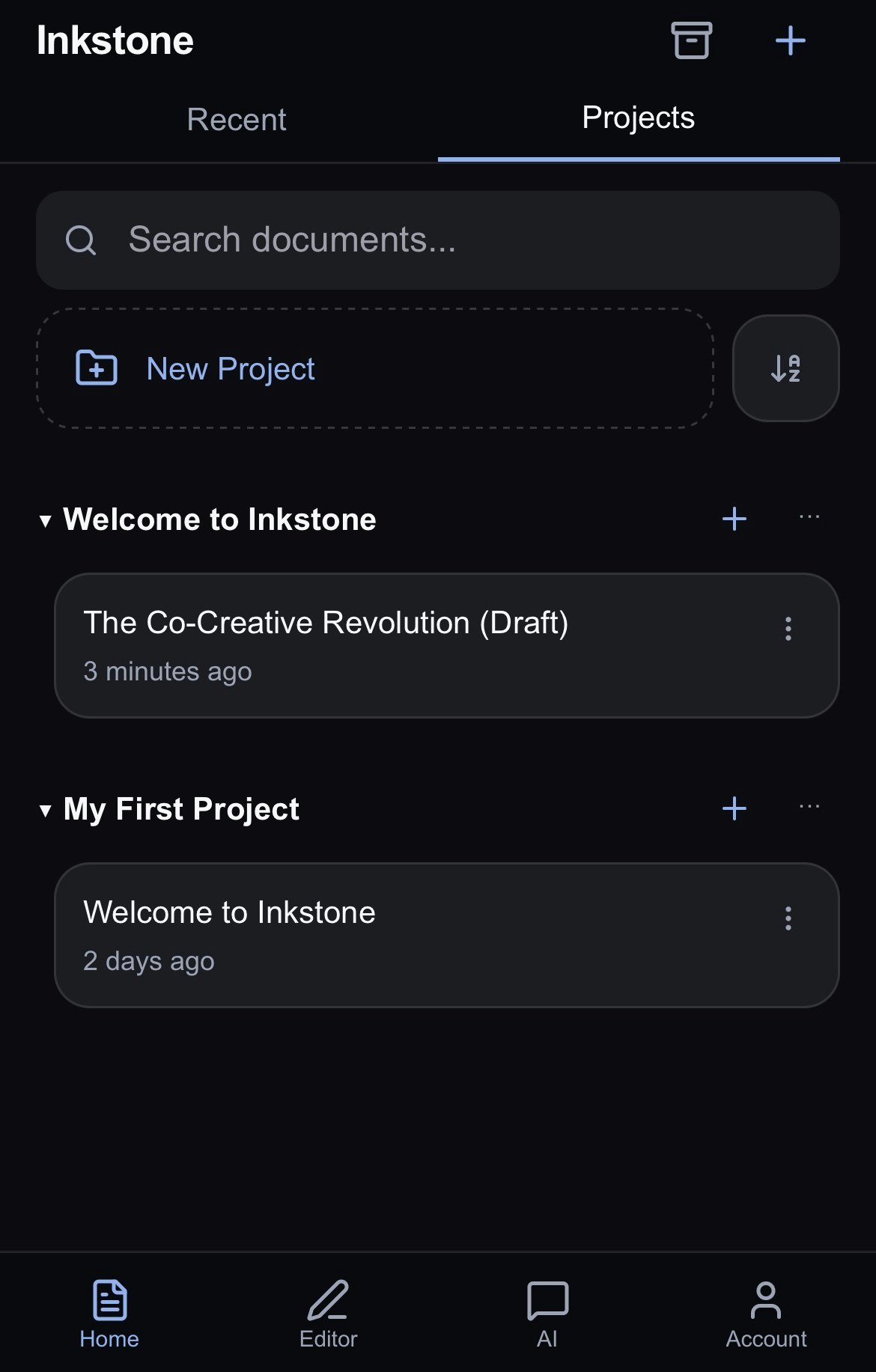 At the top of the page, you can find options for:
* **Archived**: view and restore archived projects
* **Create**: create a new untitled project
## Next Steps
* [Editing your documents](/editing-your-docs): how to use the Editor
* [AI Chat:](/ai-chat) how to chat with Jeannie to get the most from your AI assistant
At the top of the page, you can find options for:
* **Archived**: view and restore archived projects
* **Create**: create a new untitled project
## Next Steps
* [Editing your documents](/editing-your-docs): how to use the Editor
* [AI Chat:](/ai-chat) how to chat with Jeannie to get the most from your AI assistant