> ## Documentation Index
> Fetch the complete documentation index at: https://docs.inkstone.pro/llms.txt
> Use this file to discover all available pages before exploring further.
# Fact Checking
> Fact Checking verifies claims, statistics, and citations in your writing to help ensure accuracy.
## **What Fact Checking Does**
* Identifies claims and statements in your text.
* Searches for supporting or contradicting evidence.
* Provides verification status for each claim.
* Links to sources for further review.
## **Starting Fact Checking**
### **From the Editor**
1. Head to the **AI** section above the toolbar
2. Select **Facts**
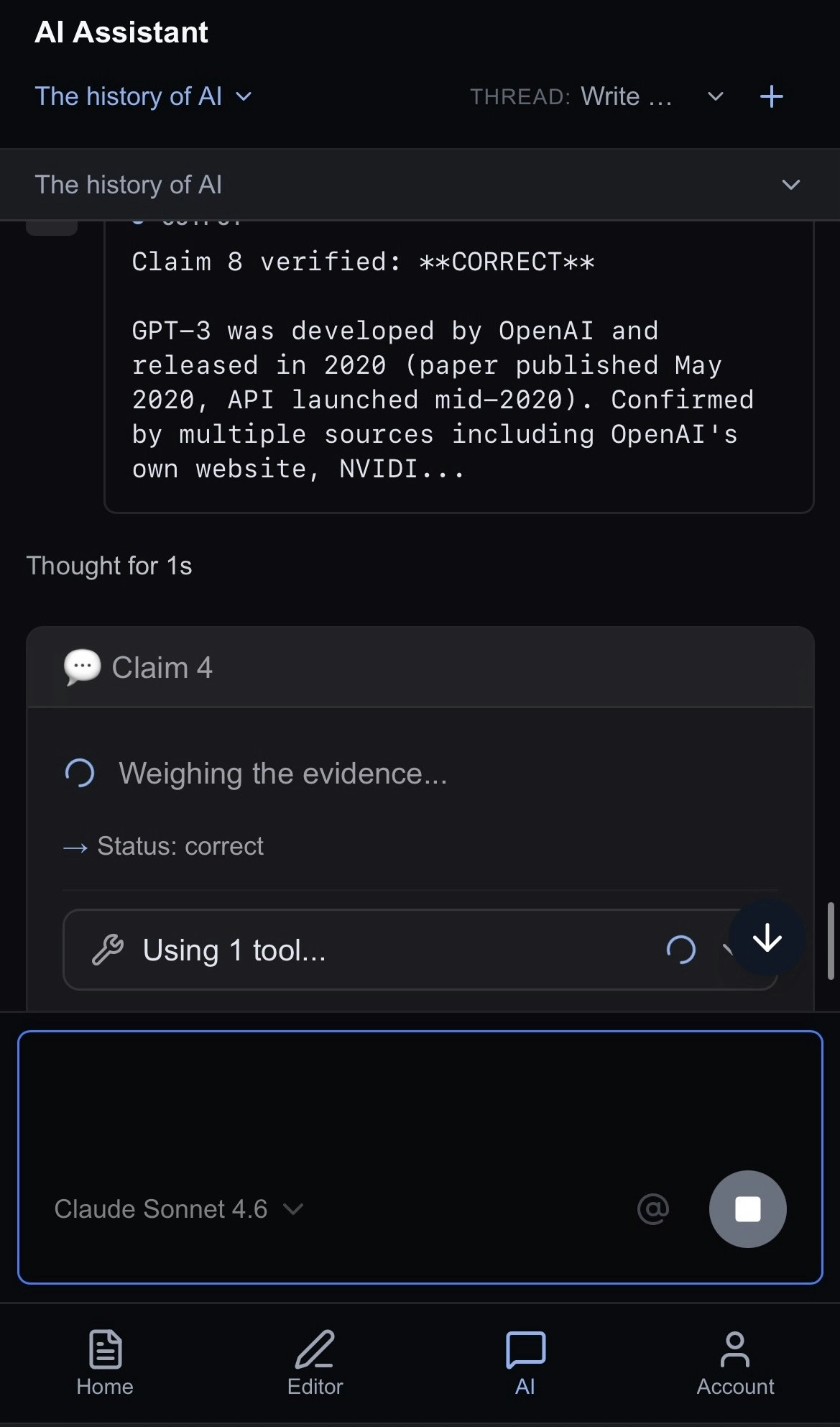
3. In the AI panel, the AI will analyze your document and check claims
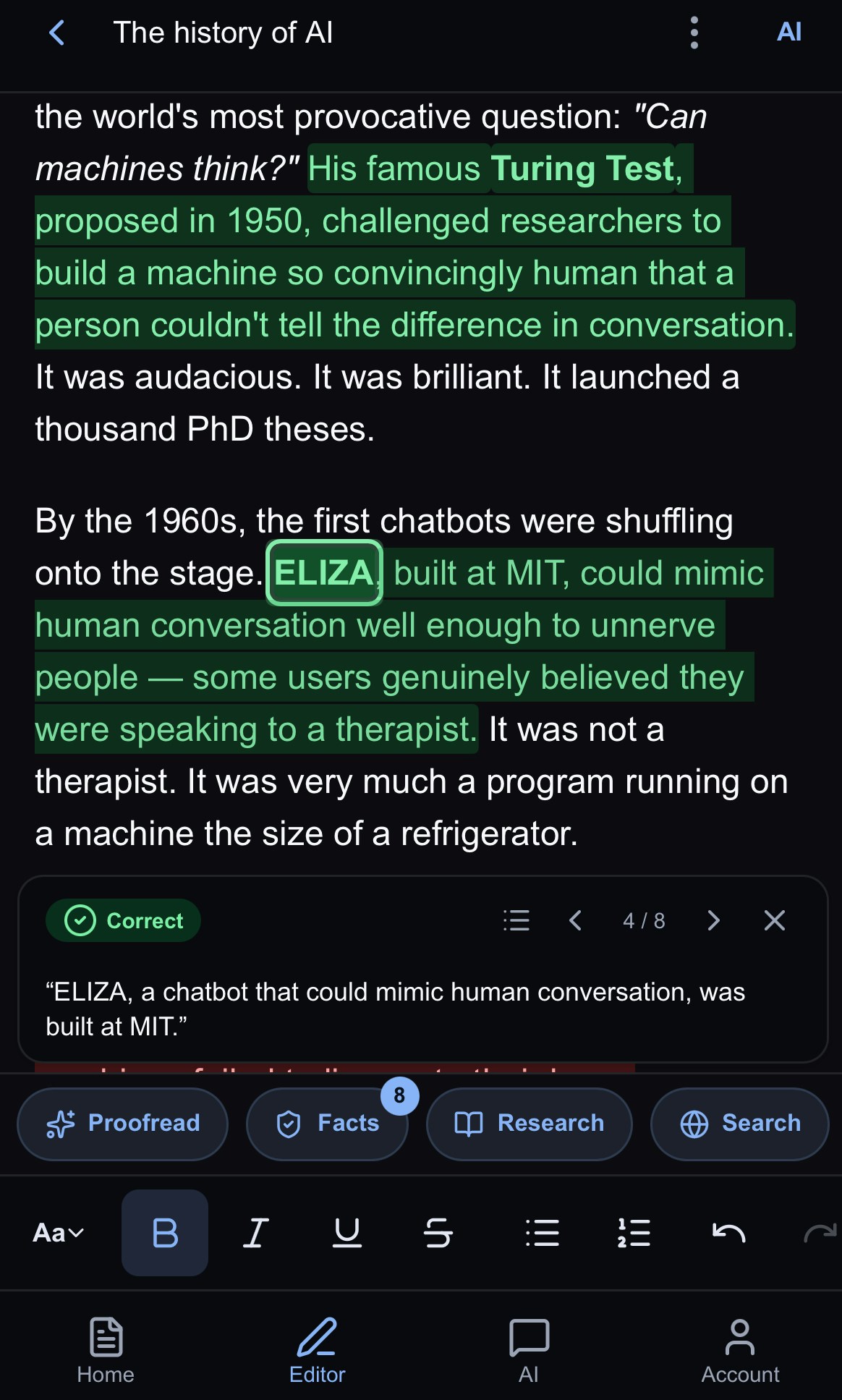
4. When Fact Check is complete, the claims will appear highlighted with sources below.
 ### **From the AI Chat**
Ask Jeannie directly: "Fact check my document" or "Verify the claims in this article." Jeannie knows how to call the fact checking tool and will run the analysis for you.
## **Understanding Results**
Evidence supports the claim
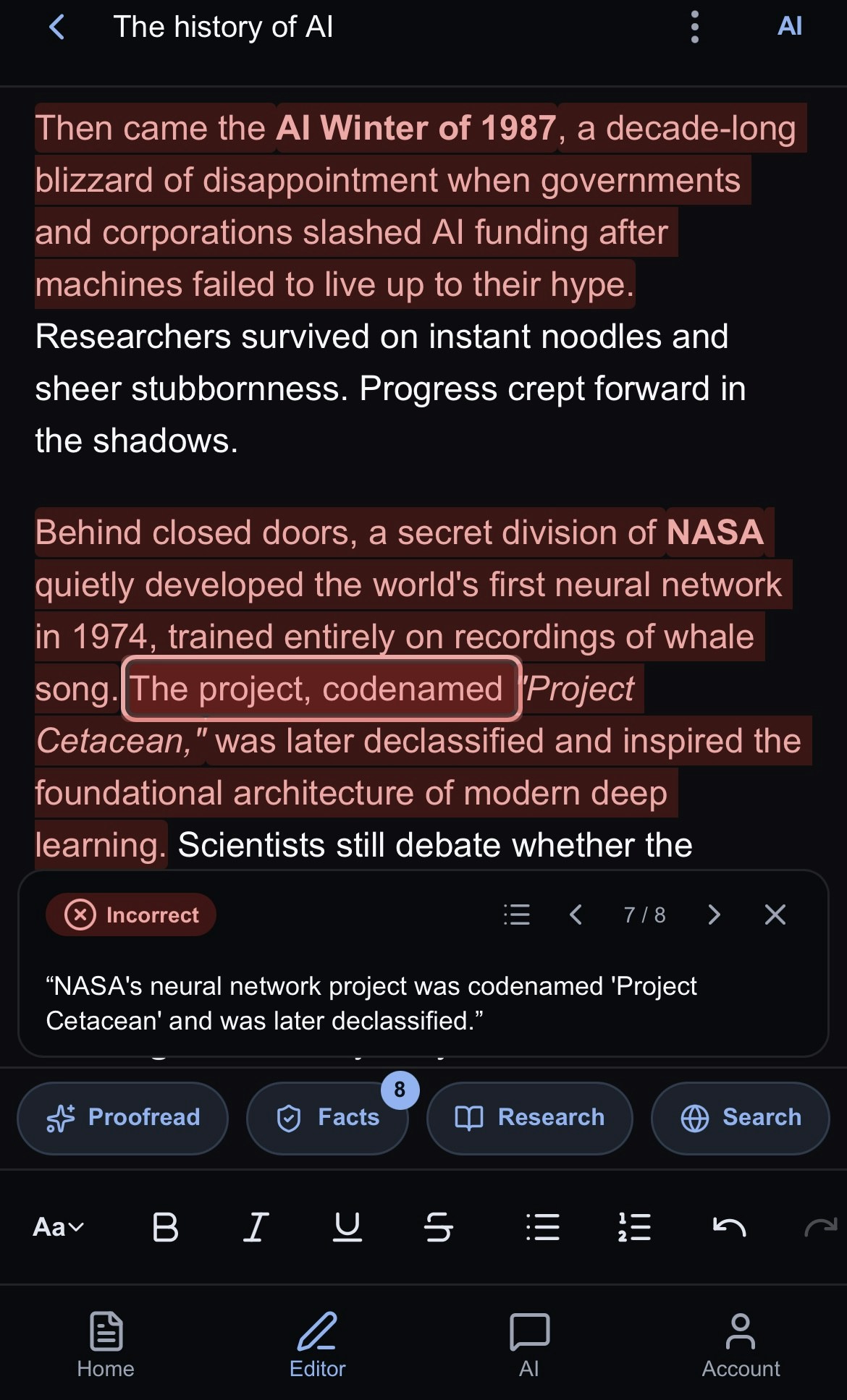
Conflicting information found
Cannot find reliable sources
For each claim in your document, the fact checker identifies the statement, searches for evidence, and assigns a status. You'll see the original claim, supporting or contradicting evidence found online, and links to sources so you can verify for yourself.
Each card includes links that look to prove or disprove the results. **You should independently verify results yourself** and consider the veracity of each source if the document has legal, business, medical or other important facts that you want to get right. However, fact-checking will get you moving quickly in the right direction with sources found on the web and analyzed for each claim.
### **From the AI Chat**
Ask Jeannie directly: "Fact check my document" or "Verify the claims in this article." Jeannie knows how to call the fact checking tool and will run the analysis for you.
## **Understanding Results**
Evidence supports the claim
Conflicting information found
Cannot find reliable sources
For each claim in your document, the fact checker identifies the statement, searches for evidence, and assigns a status. You'll see the original claim, supporting or contradicting evidence found online, and links to sources so you can verify for yourself.
Each card includes links that look to prove or disprove the results. **You should independently verify results yourself** and consider the veracity of each source if the document has legal, business, medical or other important facts that you want to get right. However, fact-checking will get you moving quickly in the right direction with sources found on the web and analyzed for each claim.
 ## **What Gets Checked**
Numbers, percentages, and data points
Statements attributed to people
Dates, events, and people
Research findings and studies
Recent news and developments
## **What Doesn't Get Checked**
Some statements are inherently unverifiable—personal opinions, future predictions, hypothetical scenarios, creative writing, and subjective experiences. The fact checker focuses on objective, verifiable claims rather than matters of perspective.
## **Acting on Results**
Once you have your fact-check results, take a moment to review the sources Jeannie found. If a claim is marked as disputed or unverified, you'll want to decide whether to correct it, add a citation to strengthen it, or remove it entirely. For verified claims, consider adding the source reference to your document so readers can check for themselves.
Remember that "unverified" doesn't necessarily mean false—it just means Jeannie couldn't find reliable sources to confirm it. You may have specialized knowledge or access to sources the AI doesn't.
## **What Gets Checked**
Numbers, percentages, and data points
Statements attributed to people
Dates, events, and people
Research findings and studies
Recent news and developments
## **What Doesn't Get Checked**
Some statements are inherently unverifiable—personal opinions, future predictions, hypothetical scenarios, creative writing, and subjective experiences. The fact checker focuses on objective, verifiable claims rather than matters of perspective.
## **Acting on Results**
Once you have your fact-check results, take a moment to review the sources Jeannie found. If a claim is marked as disputed or unverified, you'll want to decide whether to correct it, add a citation to strengthen it, or remove it entirely. For verified claims, consider adding the source reference to your document so readers can check for themselves.
Remember that "unverified" doesn't necessarily mean false—it just means Jeannie couldn't find reliable sources to confirm it. You may have specialized knowledge or access to sources the AI doesn't.
 ## **Keep in Mind**
The fact checker can't access paywalled content, so academic papers behind journal paywalls or premium news articles may not be available for verification. Very recent events (within the last few days) may not have enough indexed sources yet. Regional facts or niche industry statistics can also be harder to verify simply because there's less publicly available information..
And while the AI is thorough, it interprets claims the way it reads them. If your intended meaning differs from how the statement reads literally, the verification might not match your expectations.
## **Keep in Mind**
The fact checker can't access paywalled content, so academic papers behind journal paywalls or premium news articles may not be available for verification. Very recent events (within the last few days) may not have enough indexed sources yet. Regional facts or niche industry statistics can also be harder to verify simply because there's less publicly available information..
And while the AI is thorough, it interprets claims the way it reads them. If your intended meaning differs from how the statement reads literally, the verification might not match your expectations.