> ## Documentation Index
> Fetch the complete documentation index at: https://docs.inkstone.pro/llms.txt
> Use this file to discover all available pages before exploring further.
# Core Features
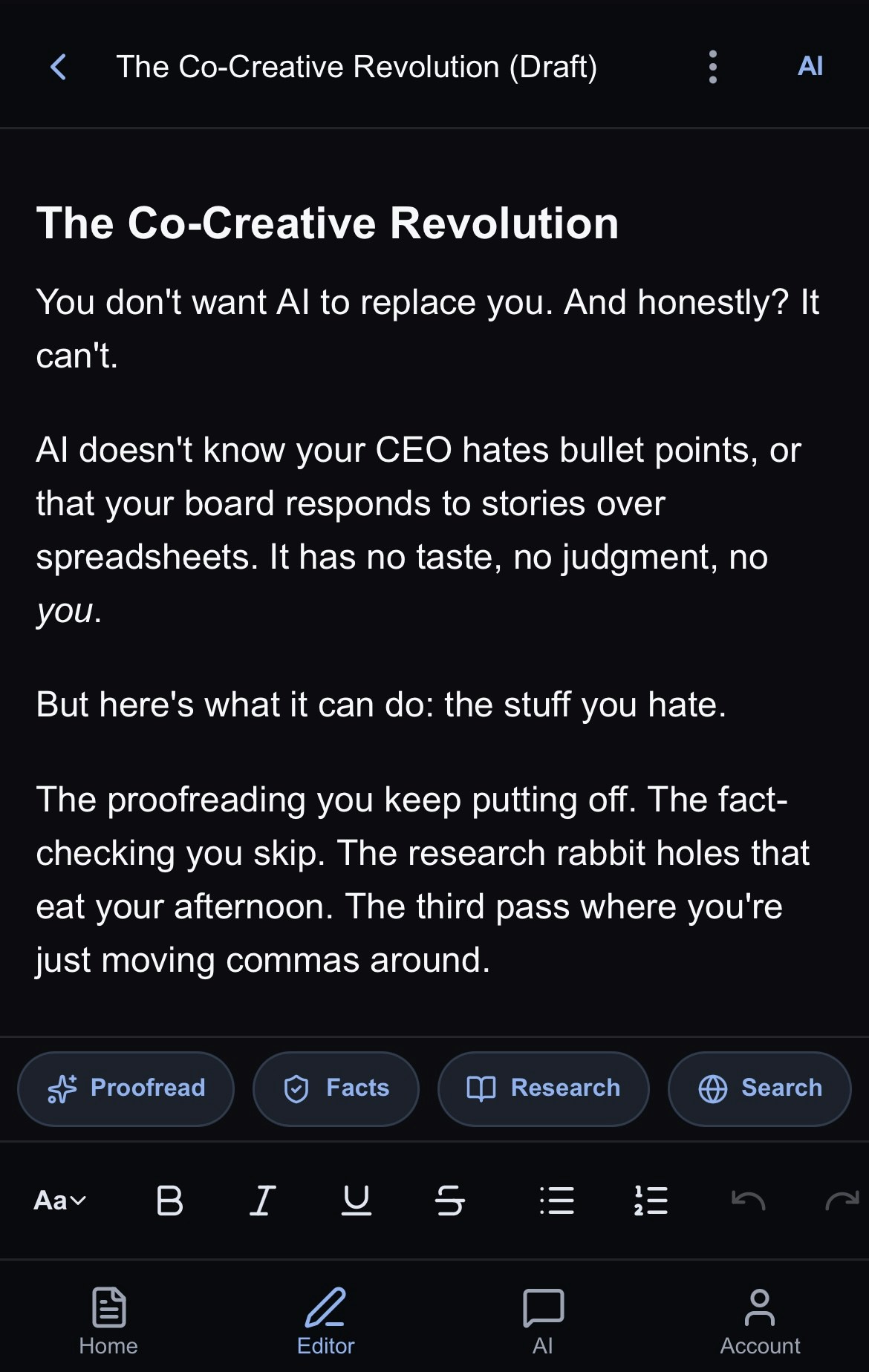
### **Rich Document Editor**
* Full text formatting with headings, lists, quotes, formatting features and more!
* Keyboard shortcuts for fast editing.
* Auto-save keeps your work safe so you always have old version.
* Clean, distraction-free writing environment.
 ### **AI-Powered Tools**
* [**AI Assistant**](/docspage/ai-tools/ai-assistant) - Jeannie is your universal editor that can rewrite, restructure, expand, or refine any part of your document on command
* [**Deep Research**](/docspage/ai-tools/deep-research)- Get comprehensive, cited research on any topic
* [**Web Search**](/docspage/ai-tools/web-search) - Find current information from the web in real-time
* [**Fact Checking**](/docspage/ai-tools/fact-checking) - Verify claims and citations in your writing
* [**Proofreading**](/docspage/ai-tools/proofreading) - Get grammar, style, and clarity suggestions
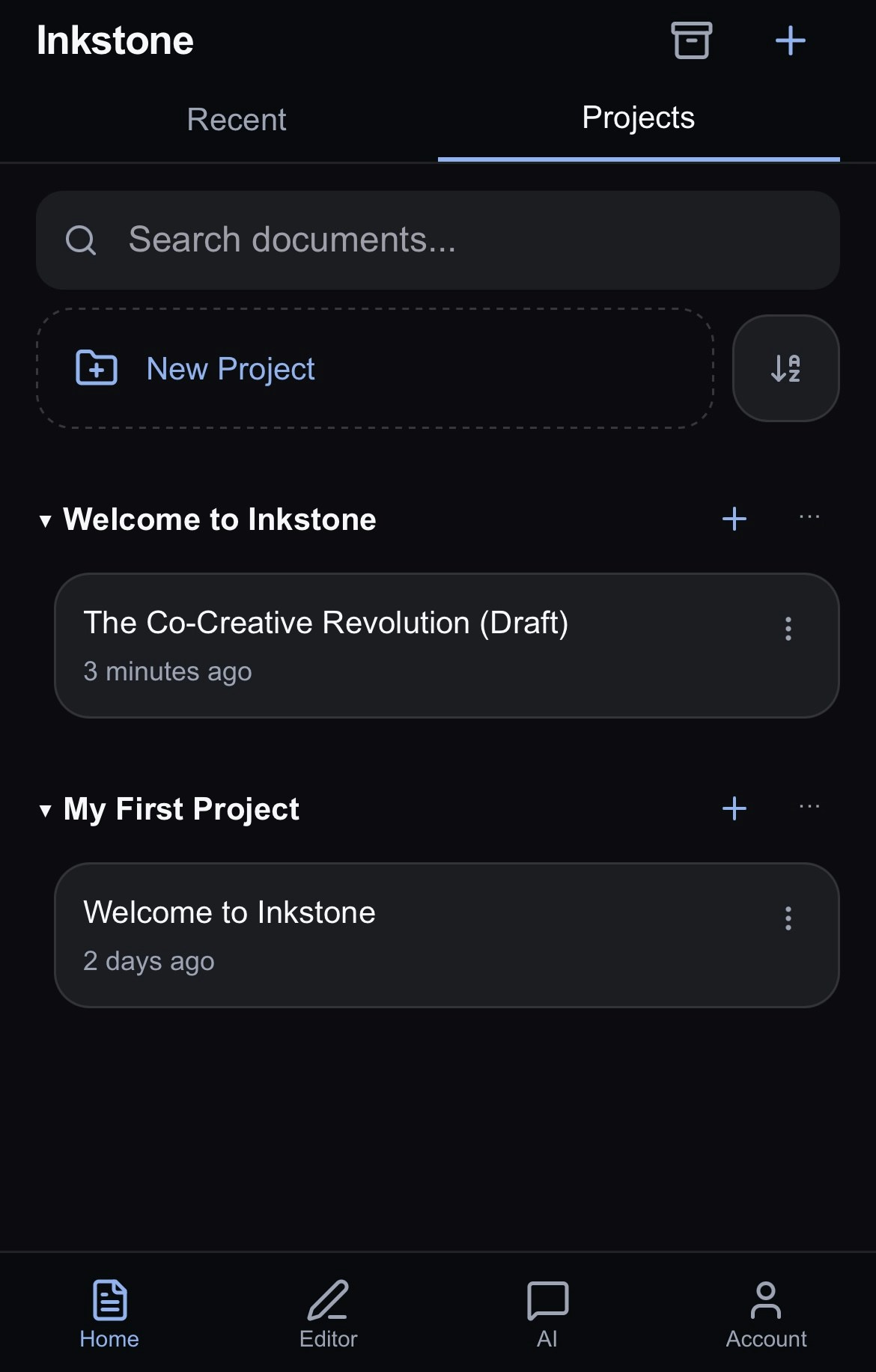
### **Project Organization**
* Group related documents into projects
* Easily save research documents and web searches as new documents in your project for easy reference
* View all of your projects on the Home screen. Learn more [here](/organizing-your-work).
### **AI-Powered Tools**
* [**AI Assistant**](/docspage/ai-tools/ai-assistant) - Jeannie is your universal editor that can rewrite, restructure, expand, or refine any part of your document on command
* [**Deep Research**](/docspage/ai-tools/deep-research)- Get comprehensive, cited research on any topic
* [**Web Search**](/docspage/ai-tools/web-search) - Find current information from the web in real-time
* [**Fact Checking**](/docspage/ai-tools/fact-checking) - Verify claims and citations in your writing
* [**Proofreading**](/docspage/ai-tools/proofreading) - Get grammar, style, and clarity suggestions
### **Project Organization**
* Group related documents into projects
* Easily save research documents and web searches as new documents in your project for easy reference
* View all of your projects on the Home screen. Learn more [here](/organizing-your-work).
 ## **Next Steps**
New to Inkstone? Start here:
* [The Home Page](/organizing-your-work): an overview of documents, projects and organisation on the home page
* [Editing your documents](/editing-your-docs): how to use the Editor
* [AI Chat](/ai-chat): learn how to chat with Jeannie to get the most from your AI assistant
* [Account](/account): adjust settings, manage billing and contact support
## **Next Steps**
New to Inkstone? Start here:
* [The Home Page](/organizing-your-work): an overview of documents, projects and organisation on the home page
* [Editing your documents](/editing-your-docs): how to use the Editor
* [AI Chat](/ai-chat): learn how to chat with Jeannie to get the most from your AI assistant
* [Account](/account): adjust settings, manage billing and contact support