> ## Documentation Index
> Fetch the complete documentation index at: https://docs.inkstone.pro/llms.txt
> Use this file to discover all available pages before exploring further.
# Account & Billing
Access your account information at any time by clicking the dropdown by your name in the top of the left panel in the editor
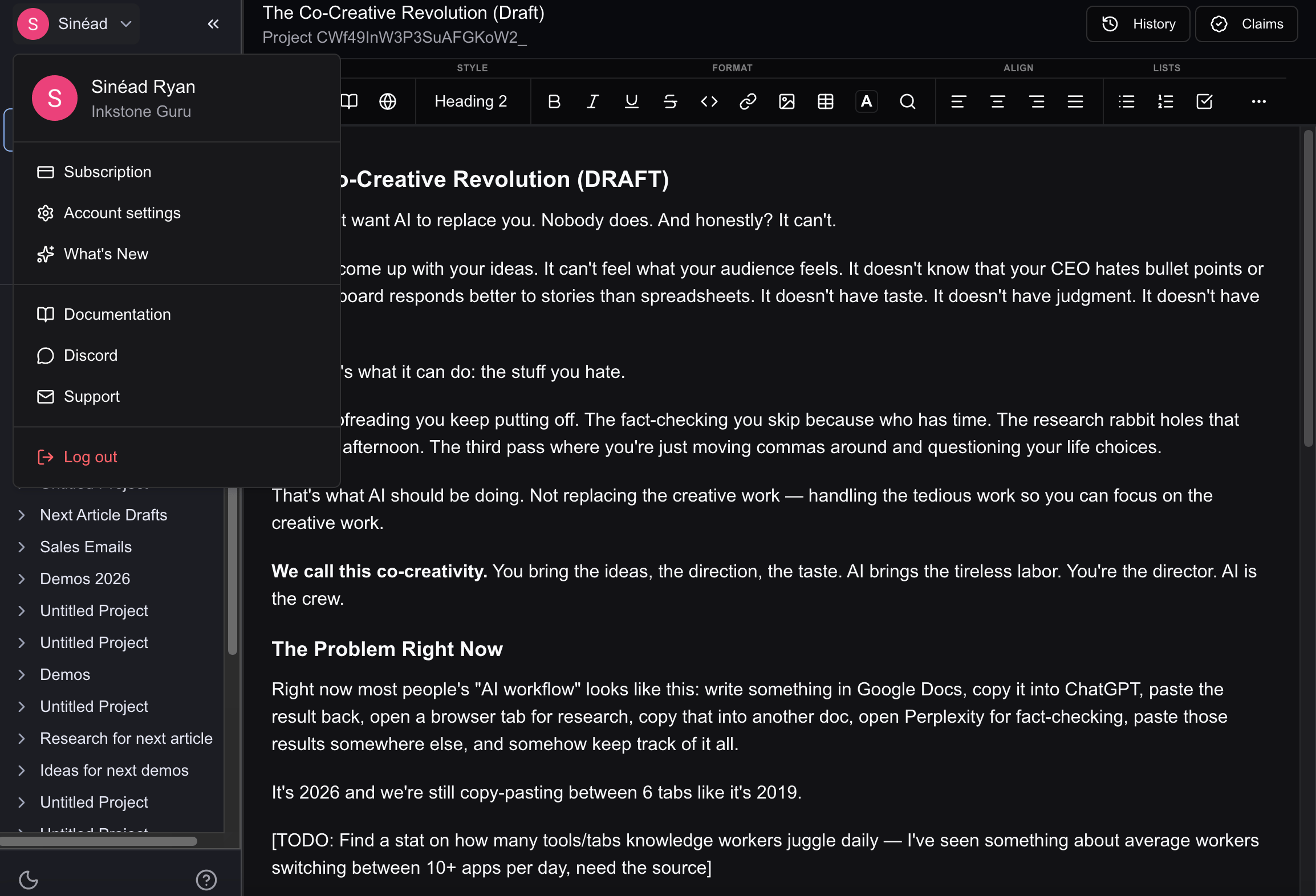 When you click this drop down, you'll see your subscription plan level.
Under this there are multiple options:
### Subscription
Clicking here brings you to your account settings, where you can manage subscriptions, billing, and light/dark mode preferences.
### Settings
Clicking here brings you to your account settings, where you can manage subscriptions, billing, and light/dark mode preferences.
### What's new
A quick view of the latest updates to Inkstone
### Documentation
Links to this documentation to give you an overview of the platform and find answers to any questions you may have
### Discord
[Join our Discord Channel](https://discord.com/invite/jAfHv52SMW)! We post all news and updates there first.
### Support
If you have any specific questions or queries, reach out to [support@inkstone.pro](mailto:support@inkstone.pro), the team will be happy to help!
When you click this drop down, you'll see your subscription plan level.
Under this there are multiple options:
### Subscription
Clicking here brings you to your account settings, where you can manage subscriptions, billing, and light/dark mode preferences.
### Settings
Clicking here brings you to your account settings, where you can manage subscriptions, billing, and light/dark mode preferences.
### What's new
A quick view of the latest updates to Inkstone
### Documentation
Links to this documentation to give you an overview of the platform and find answers to any questions you may have
### Discord
[Join our Discord Channel](https://discord.com/invite/jAfHv52SMW)! We post all news and updates there first.
### Support
If you have any specific questions or queries, reach out to [support@inkstone.pro](mailto:support@inkstone.pro), the team will be happy to help!